QR Codes Are Everywhere—Here’s What They Actually Do (and How to Use Them Safely)
QR codes can open menus, payments, and logins in seconds—but they can also hide risky links. Learn how they work and how to scan smarter.
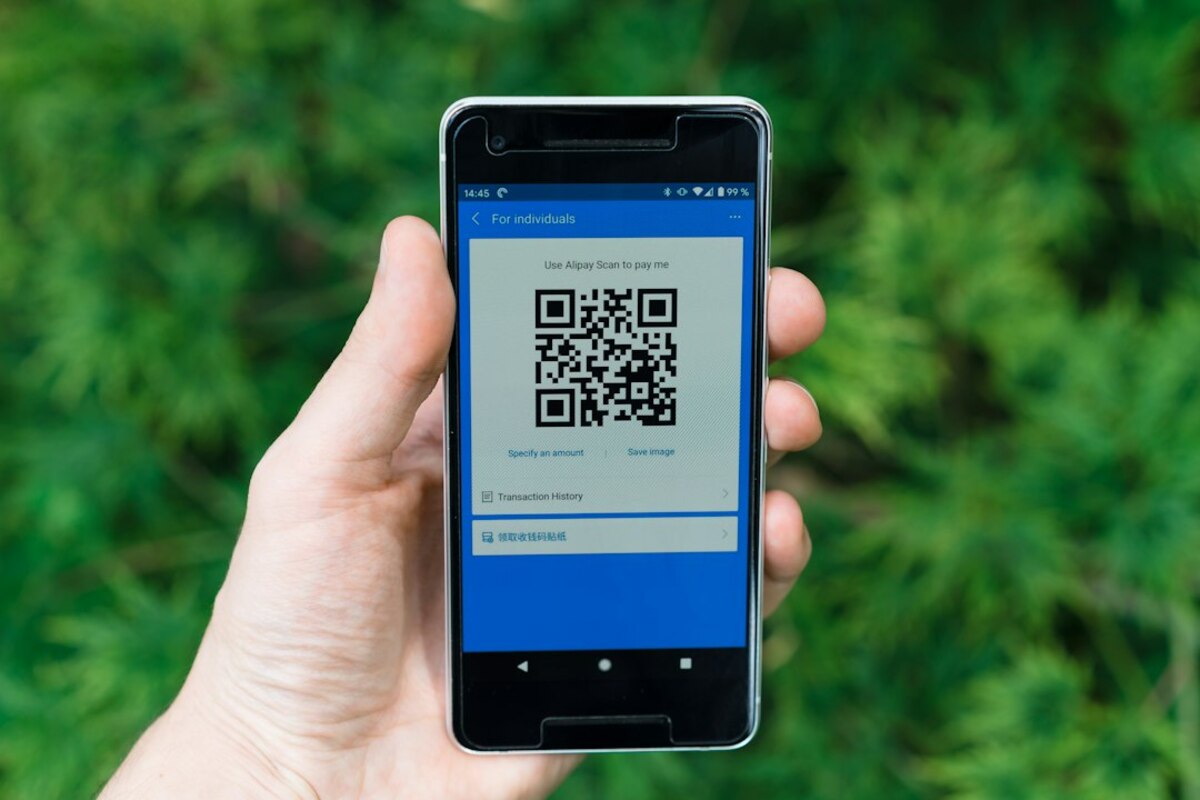
- A QR code is just a fast way to type a link or data into your phone—nothing “magical” happens by itself.
- Most QR risks come from where the code sends you (fake sites, hidden redirects), not from scanning alone.
- A few quick habits—previewing URLs, checking domains, and avoiding rushed scans—cut your risk dramatically.
What a QR code really is (and what it isn’t)
A QR code looks like a tiny maze, but it’s basically a compact “data container” printed in a way a camera can read quickly. The letters “QR” stand for Quick Response, and that name is honest: it’s designed so a phone can grab information instantly without you typing anything.
Here’s the simplest way to think about it: a QR code is like a pre-filled clipboard. Instead of you typing “https://example.com/spring-menu?table=7” character by character, the code hands that exact text to your phone in one snap.
Important detail: scanning a QR code usually doesn’t do anything by itself. It typically shows you what’s inside (often a web address), and then you choose whether to open it. That choice—opening a link, downloading a file, signing in, approving a payment—is where things become convenient… or risky.
QR codes commonly store:
- URLs (web links) — the most common use: menus, tickets, product pages, campaigns
- Plain text — instructions, serial numbers, Wi‑Fi passwords (formatted)
- Contact cards (vCard) — add a person to your contacts
- Payment data — depending on the system, it can initiate a payment request
- App actions — deep links that open specific parts of an app
Real-life scenario: You’re at a café. The menu is a QR code on the table. When you scan it, your phone reads: “https://cafename.com/menu/table7”. Your phone isn’t “accessing the café” or “reading the table.” It’s just receiving a piece of text that happens to be a link. When you tap the link, your browser opens that website.
| What people think happens | What’s actually happening |
|---|---|
| “The QR code connects to a special system.” | Your camera reads encoded text/data and passes it to an app (usually your browser). |
| “Scanning a QR code can instantly hack my phone.” | Scanning mainly reveals data; risk usually comes from visiting a malicious site or approving something. |
| “All QR codes are basically the same.” | Some contain simple links; others contain formatted data (Wi‑Fi, contact info) or deep links into apps. |

Why QR codes took over: convenience, speed, and “no typing”
QR codes existed for years, but they became truly mainstream when everyday moments started rewarding speed: ordering food, checking in, paying, sharing a form, joining a Wi‑Fi network, confirming a login. They fit modern life because they remove the most annoying part of mobile tasks: typing.
Think of QR codes as the on-ramp to a digital action. The action might be harmless (view a menu) or sensitive (sign into an account). Either way, the QR code reduces friction—sometimes so much that we stop paying attention.
Common “everyday life” uses:
- Restaurant menus and ordering — faster updates than printed menus
- Event tickets and boarding passes — quick scanning at entrances
- Package returns and lockers — fewer steps and fewer mistakes
- Wi‑Fi sharing — scan once, join without typing long passwords
- Workplace logins — sign in on a laptop by approving a QR flow with your phone
Analogy: A QR code is like a “one-click shortcut” you can stick to the physical world. The poster, receipt, or table tent becomes a button. That’s powerful—and it’s exactly why scammers like QR codes too.
There are also two broad “types” of QR experiences people bump into:
- Static QR codes: the data inside doesn’t change. If it encodes “https://example.com/menu”, it will always encode that.
- Dynamic QR codes: the QR code often points to a short link that can redirect somewhere else. Businesses like these because they can update the destination without reprinting posters.
Dynamic codes are convenient for legitimate reasons (changing campaigns, updating forms), but they also mean a QR code can hide its final destination behind redirects. That’s not automatically bad—just a reason to be more alert.
The real risks: “quishing,” fake sites, and rushed decisions
Most QR code trouble comes from a simple fact: a QR code can hide a link you wouldn’t type manually. When we read a printed URL, we can often spot something odd (“paypaI.com” with a capital i). With QR codes, you don’t see the address until after you scan—and many people tap before they look.
This has led to an increasingly common scam style sometimes called QR phishing (often nicknamed “quishing”). The goal isn’t to do something sci‑fi; it’s to push you onto a convincing fake page where you’ll enter a password, confirm a “fee,” or download something questionable.
Typical quishing scenarios you might recognize:
- Parking meter sticker: a fake QR code placed over the real one. You “pay parking” on a lookalike website, but the money goes to someone else.
- Package/parcel message: a QR code in an email or letter that leads to a fake delivery site asking for a “small redelivery fee.”
- Office login trap: a QR code on a poster or email claiming you must “re-verify” your account, leading to a realistic company login page.
Notice the pattern: the QR code isn’t the weapon—the story is. It creates urgency (“pay now,” “verify now,” “final notice”), and the QR code removes the pause where you might otherwise think, “Is this link weird?”
What can actually go wrong after you scan?
- You land on a fake website and enter passwords, card details, or personal info.
- You approve a payment (or set up a recurring payment) you didn’t intend to.
- You download a file/app you shouldn’t, or you grant permissions too quickly.
- You get redirected multiple times, making it harder to tell where you ended up.
What’s less common (but still worth knowing): a QR code can encode special “actions” (like opening a draft email or dialing a number). Most modern phones will ask for confirmation, but the safest assumption is: treat a QR scan like clicking a link. Because that’s what it usually is.
Usually, yes—if you check what it opens. The biggest risk is being sent to a fake site. Preview the URL, look for the correct domain, and avoid scanning codes that look tampered with (like stickers placed over another code).
Usually, yes—if you check what it opens. The biggest risk is being sent to a fake site. Preview the URL, look for the correct domain, and avoid scanning codes that look tampered with (like stickers placed over another code).
Look at the domain like you would with any link. “company.com” is different from “company-support.com” or “company.com.verify-login.ru”. If you don’t recognize the domain, don’t proceed.
Look at the domain like you would with any link. “company.com” is different from “company-support.com” or “company.com.verify-login.ru”. If you don’t recognize the domain, don’t proceed.
They’re faster, but they remove your chance to “notice something off” while typing. That’s why QR codes feel riskier: they can hide a strange address behind a neat square. A quick URL preview restores that missing pause.
They’re faster, but they remove your chance to “notice something off” while typing. That’s why QR codes feel riskier: they can hide a strange address behind a neat square. A quick URL preview restores that missing pause.
If you want a simple, practical scanning habit, use this three-step “pause button” every time:
- Scan (don’t tap yet).
- Read the preview (especially the domain).
- Decide (open it, or back out and find another way—like typing the official site yourself).
Small detail that helps a lot: in public places, glance at the physical code. Does it look like a sticker placed on top of another sticker? Is it crooked, bubbled, or peeling? Has someone put a “new improved code” label over the original? Legitimate businesses do update signage—but tampering is common enough that it’s worth a two-second look.
And one more real-life example: imagine you’re at a train station and see a QR code for “Free Station Wi‑Fi.” You scan it and it opens a login page asking for your email password “to connect.” That’s your cue to stop. Public Wi‑Fi portals shouldn’t ask for your email password. The QR code didn’t create the scam; it just made it easier to walk you into it.
QR codes are here to stay because they’re genuinely useful. The trick is to treat them the way you treat links: fast to use, but not automatic to trust.