Why Tipping Screens Are Everywhere—and How to Handle Them Without Feeling Awkward
Those “It’s just a quick question” tip prompts now pop up at coffee counters, kiosks, and even self-checkout. Here’s why it’s happening—and how to respond comfortably.
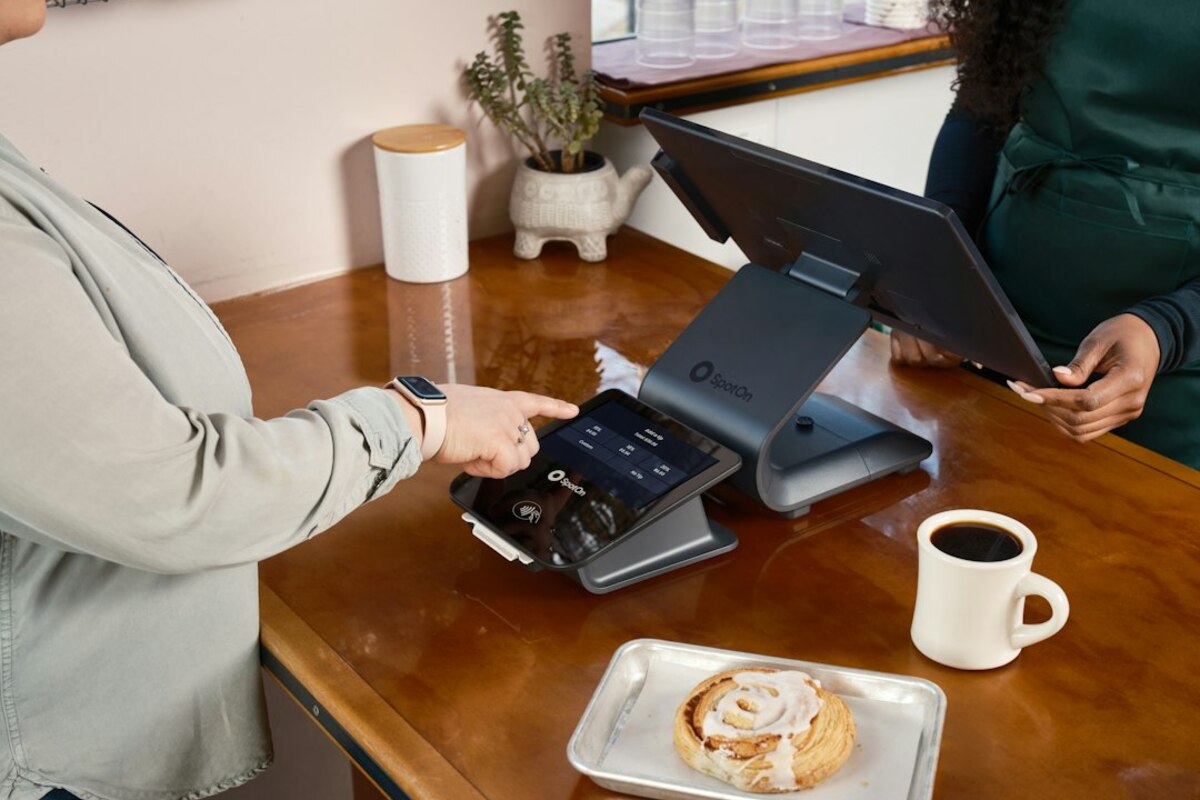
From jar on the counter to a screen that stares back
You walk up to order a sandwich. The cashier rings it up, flips the tablet around, and suddenly you’re looking at big buttons: 20%, 25%, 30%. There’s a smaller “Custom” option and an even smaller “No tip.” The person behind the counter is waiting. The line behind you is waiting. For a split second, it can feel like the screen is asking a personal question in public.
This isn’t your imagination: digital tipping prompts have spread fast. They show up at cafés, bakeries, airport kiosks, food trucks, stadium stands, salons, small retail shops, and sometimes in places where tipping wasn’t historically part of the deal—like quick pickup counters or self-serve spots.
People call it “tip creep,” “tip fatigue,” or “the guilt screen.” But behind the emotion is a straightforward business story: modern payment systems make tipping frictionless to request and easy to collect, and many businesses are under pressure from higher wages, rent, and ingredient costs. Asking for a tip has become an invisible “price knob” they can turn without changing the posted menu price.
To make this less awkward, it helps to know what the screen is really doing—economically and psychologically—and then adopt a few personal rules so you can tap confidently and move on.

Why businesses added tipping prompts (even where it feels random)
The biggest reason is simple: the checkout software now does it by default. Many point-of-sale systems come with built-in tip options that are easy to enable. Once a business turns it on, every transaction becomes a chance to add extra revenue.
But there are a few deeper forces pushing tipping screens into everyday life:
- Rising operating costs without obvious room to raise listed prices. If a coffee shop raises latte prices from $5 to $6, customers notice immediately. If the price stays $5 but 1 in 3 customers adds a $1 tip, the average ticket rises without changing the menu board.
- Competition and “price anchoring.” Businesses fear being perceived as expensive. Digital tips can function like a “voluntary surcharge” instead of a visible price jump.
- Wage expectations and hiring pressure. In many service roles, tips are seen (rightly or wrongly) as part of earnings. Tip prompts can help a business attract or retain workers without committing to higher base pay.
- Cashless life changed the old tip jar. When more people paid with cash, tossing change into a jar felt natural. With cards and phones, there’s no loose change—so the tip ask moved onto the screen.
- Checkout design nudges behavior. A prompt at the moment of payment is powerful. It’s not that people suddenly became more generous; it’s that the request is timed at the exact moment you’re already tapping “OK.”
There’s also an uncomfortable truth: the prompt can shift responsibility. When customers are nudged to supplement pay, it can reduce pressure on the business model to fully cover labor costs through posted prices. That doesn’t mean tipping is “bad,” but it explains why it expanded so quickly.
Here’s a practical way to think about it: a tipping screen is part fundraiser, part social script, part pricing strategy. Once you see it that way, you can stop treating it like a moral test and start treating it like a choice.
| Where you see the tip prompt | What the business likely hopes happens | Why it feels awkward |
|---|---|---|
| Coffee counter / quick service | Higher average ticket without raising prices | You’re tipping before you know the experience |
| Pickup order window | Compensation for packing and prep | No table service, so “what am I tipping for?” |
| Self-serve kiosk | Extra revenue even with minimal labor | It can feel like tipping a machine |
| Salon / personal services | Reinforce traditional tipping norms | Higher totals mean bigger percentage swings |
What you’re actually paying for: tips, fees, and the “suggested percent” trap
Not all “extra charges” at checkout are the same—and tipping screens sometimes blur the lines.
1) A tip (gratuity) is optional. It’s meant as a reward for service. Digital screens present it like a required step, but in most cases it’s a choice.
2) A service fee is not a tip. Some places add a “service charge,” “fair wage fee,” “kitchen appreciation fee,” or “health and wellness fee.” These are usually not the same as a tip, and may not go directly to the worker you’re thinking of. Sometimes they fund benefits, sometimes they offset costs, sometimes they’re pooled—sometimes the policy is unclear.
3) Suggested percentages can be calculated on top of tax (and sometimes fees). This is subtle but common. If the screen suggests 20% and it’s based on the taxed total (or includes a service fee), you may be tipping more than you realize.
A quick scenario makes this obvious:
- You buy a $12 lunch.
- Tax makes it $13.08.
- A 4% “service fee” makes it $13.60.
- The screen suggests 25%—but it’s calculated on $13.60, not $12.
You think you’re tipping “for lunch,” but you’re tipping on tax and a fee too. None of this is illegal by default, but it’s easy to miss when you’re standing in line with someone waiting behind you.
Another common trap is the default high anchor. If the buttons start at 20% and go up, your brain treats 20% as “normal.” If the same screen started at 10%, many people would choose differently. That’s not a character flaw; it’s how anchoring works.
Also worth knowing: many businesses pool tips across a team, especially in fast-casual places. That can be fair and sensible. But if you assumed your tip goes only to the person who smiled at you, that’s not always how it works.
A no-drama way to decide when (and how much) to tip
The goal isn’t to memorize etiquette rules. The goal is to build a simple system so you’re not doing emotional math at a touchscreen.
Try using a “service effort” lens:
- Personal service delivered to you (haircut, sit-down dining, bar service): tipping has a long history here. If you can afford it, tipping is part of how the system currently works.
- Helpful human effort beyond a basic transaction (custom requests, complicated order, someone fixes a mistake fast, they carry items, they spend time advising you): a tip can be a sincere thank-you.
- Standard counter service (you order, they hand it to you): this is where people vary. A small tip can be kind, but it’s also reasonable to hit “No tip” if you’re already paying a fair price.
- Self-serve or automated (kiosk, self-checkout): many people choose not to tip because there’s no direct service performed.
If you want specific, easy-to-remember rules, pick one set and stick to it. For example:
- Rule A (classic): Tip for sit-down service and personal services; skip tipping for retail and self-serve.
- Rule B (small kindness): Tip $1 for drinks or quick items when a person made it; tip more for extra effort; skip for kiosk/self-checkout.
- Rule C (budget-first): Decide a weekly “tip budget.” When it’s used up, you stop tipping for counter service that week—no guilt, just a boundary.
What matters is consistency. When you have a rule, the screen stops feeling like a surprise negotiation.
How to hit “No tip” without feeling like a villain
Most awkwardness comes from feeling observed. In reality, workers see hundreds of screens a day. Many won’t know what you chose, and those who do often don’t have time to dwell on it.
Try one of these low-stress approaches:
- Be quick and neutral. Tap your choice like you’re selecting receipt options—not like you’re making a confession.
- Use cash tips intentionally (when you want them). If you prefer, you can tip in cash and hit “No tip” on the screen. This also prevents double tipping.
- Tip sometimes, not always. If you’re a regular at a café, occasional small tips often feel better than feeling forced every single visit.
How to avoid double tipping
Double tipping happens when there’s already a fee or gratuity included, and the screen still asks for more. Before you tap, look for language like:
- “Gratuity included”
- “Service charge”
- “Staff wellness fee”
- “Kitchen fee”
If you see one, you can adjust your tip accordingly. Some people treat included gratuity as the tip and add nothing; others add a little extra only for standout service.
Not automatically. Counter tipping is more flexible than table service. If you’re polite and the transaction is basic, many customers choose no tip without drama—especially if prices already reflect higher labor costs.
Not automatically. Counter tipping is more flexible than table service. If you’re polite and the transaction is basic, many customers choose no tip without drama—especially if prices already reflect higher labor costs.
Suggested percentages act as anchors. Starting at 20% makes it feel like the baseline. It’s a design choice that can raise average tips without anyone explicitly asking for more.
Suggested percentages act as anchors. Starting at 20% makes it feel like the baseline. It’s a design choice that can raise average tips without anyone explicitly asking for more.
It depends on the business. Some service fees fund wages or benefits, some are pooled, and some are general revenue. If it matters to you, look for a posted policy or ask, “Is this fee a tip for staff?”
It depends on the business. Some service fees fund wages or benefits, some are pooled, and some are general revenue. If it matters to you, look for a posted policy or ask, “Is this fee a tip for staff?”
One last reframing that helps: a tip prompt is not a verdict on your generosity. It’s a business mechanism placed at checkout because it works. Your job is simply to respond in a way that fits your values and your budget.
Once you have a personal rule, the moment becomes routine: you glance for included fees, choose an amount (or “No tip”), and move on—no spiraling, no second-guessing, no weird lingering feeling that you failed a pop quiz in public.