Why Stores Are Asking You to Use Self-Checkout—And Why It Sometimes Feels Like a Bad Deal
Self-checkout is spreading fast, but it’s not always quicker or cheaper. Here’s what retailers gain, what shoppers lose, and how to shop smarter.
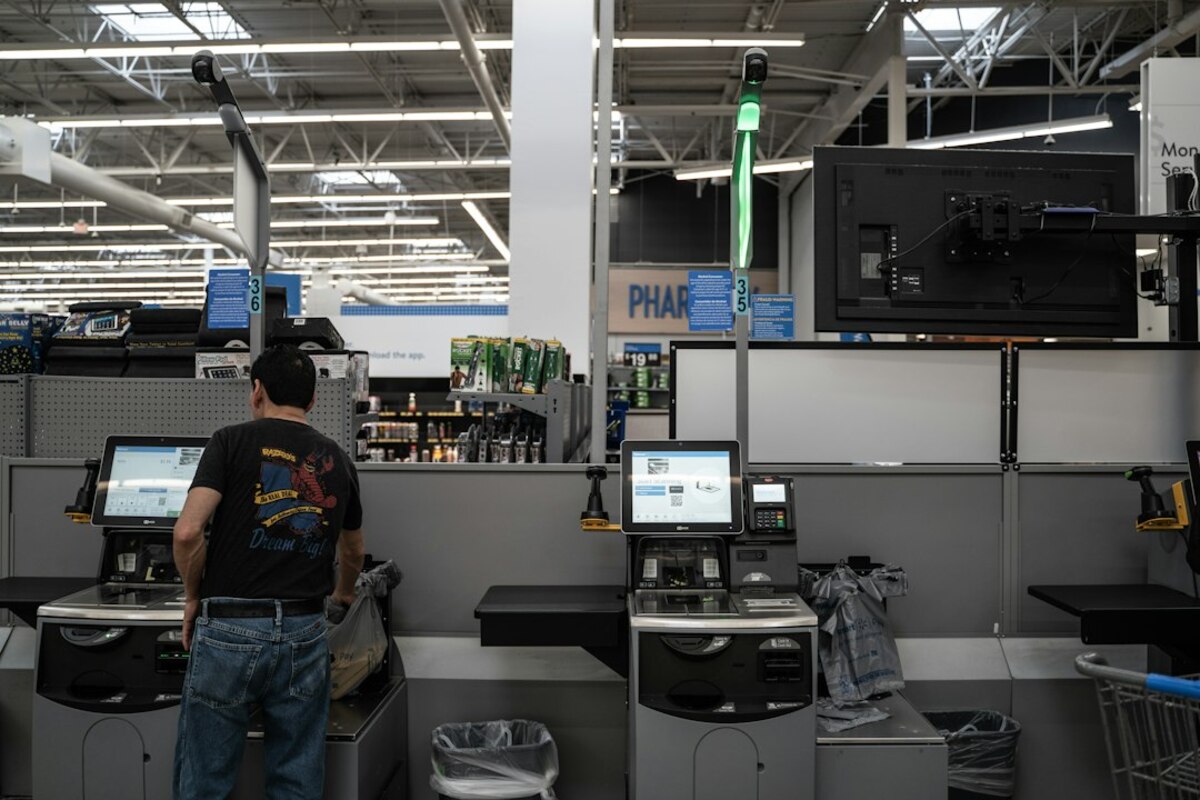
- Self-checkout isn’t just about speed—it’s about labor costs, store layout, and data on what you buy.
- Shrink (theft and mistakes) is the trade-off, which is why many stores are adding cameras, gates, and receipt checks.
- You can reduce hassles by picking the right lane, timing your trip, and knowing when to insist on a cashier.
Self-checkout isn’t only about convenience—it’s a business decision
You walk into a grocery store for “just three things.” Ten minutes later you’re staring at a row of self-checkout kiosks while one employee floats between them, helping four people whose screens are flashing for help.
It’s easy to assume the reason self-checkout exists is simple: faster lines. Sometimes it is. But the bigger reason is more practical (and more “business”): self-checkout changes a store’s cost structure and how the space works.
Think of a store like a small factory that turns stocked shelves into paid purchases. Traditional checkout is a bottleneck: each lane needs a trained cashier for most of the day. Self-checkout shifts part of that work to customers. Instead of paying for, say, six staffed lanes, the store might pay for one attendant to oversee eight kiosks. Even when customers don’t love it, the math can be tempting.
But labor costs are only one piece. Self-checkout can also:
- Increase “throughput” in limited space. Eight kiosks can fit where three big conveyor-belt lanes would go, especially in smaller urban stores.
- Change shopping behavior. Kiosks near the exit can nudge quick trips, which can support store formats built around convenience.
- Generate cleaner data. Every scan, mis-scan, and “help needed” moment creates operational data: which items cause errors, what times get backed up, and where people abandon purchases.
One way to picture it: a staffed checkout lane is like a sit-down restaurant—great service, higher labor. Self-checkout is more like fast-casual: less service per customer, more volume, and a different kind of friction.

The hidden trade-off: “shrink,” suspicion, and store security theatre
Retailers have a blunt word for the money they lose from theft, fraud, and plain old mistakes: shrink. And self-checkout can increase it—not because most people are criminals, but because the process is error-prone.
Consider a normal, non-dramatic self-checkout scenario:
Scenario: You scan a bag of apples. The kiosk asks you to “place item in the bagging area.” You do, but the scale doesn’t register it quite right. Now the screen locks. An attendant has to approve it. While you wait, you’re holding two other items, your kid is pressing buttons, and someone behind you sighs. You’re not stealing—yet the system treats the moment like a suspicious event.
Multiply tiny moments like that by thousands of transactions and you get the reason stores keep adding layers: cameras pointed at the scanner, weight sensors, AI prompts, exit gates, receipt checks, and more.
That’s why self-checkout can feel like a bad deal: you’re doing work (scanning and bagging) and you’re being monitored more closely while doing it.
The business challenge is a balancing act:
| What the store wants | What can go wrong | What you experience |
|---|---|---|
| Lower checkout labor cost | More errors, higher shrink | More prompts, more pauses |
| Faster lines in less space | Bottlenecks when one kiosk has an issue | “It would be fast if it worked” |
| Consistent process | Edge cases (produce, coupons, age checks) | Waiting for an attendant anyway |
| Better data on transactions | Over-monitoring can annoy shoppers | Feeling watched or distrusted |
Notice how many failure points aren’t “criminal.” They’re just normal shopping: a barcode that won’t scan, a ripe avocado that has no sticker, a discount that doesn’t apply correctly, a 12-pack that’s awkward to lift into the bagging area, or an item that triggers an age verification step.
Stores often respond by tightening controls. That can reduce shrink, but it can also make the experience slower and more tense. The result is the odd modern paradox: self-checkout is supposed to be frictionless, yet it’s sometimes the most fussy, rule-filled part of the store.
How to make self-checkout work for you (and when to avoid it)
You can’t change a retailer’s strategy while you’re holding a basket of groceries, but you can choose the path that costs you the least time and stress.
Here are practical ways to tilt self-checkout in your favor—based on the kinds of problems these systems commonly have.
1) Use self-checkout for “barcode-simple” trips
Self-checkout shines when your basket is mostly:
- Items with clean, easy-to-scan barcodes (boxed or bottled goods)
- Few or no produce items that require lookup
- No complicated promotions (mix-and-match deals, stacked coupons)
- No age-restricted products
If your basket is full of loose produce, bakery items, and multiple discounts, a cashier lane can be faster and less mentally draining—because the cashier is essentially a professional barcode-and-exception handler.
2) Pick the right kiosk: look for space, not the shortest line
At many stores, the “shortest line” can be misleading. One person with a cart overflowing with produce can freeze a kiosk for minutes.
Instead, scan the kiosks for:
- Working room (a wider station, more bagging area, a nearby shelf)
- Fewer interruptions (avoid the kiosk where an attendant is already troubleshooting)
- People with small baskets (a better signal of fast turnover)
It’s like choosing a lane in traffic: the lane that looks shortest isn’t always the one that flows.
3) Bagging strategy matters more than you think
Self-checkout systems often use a bagging-area scale to confirm an item was scanned. That means chaotic bagging can trigger “unexpected item in the bagging area” warnings.
A low-friction approach:
- Place one bag open in the bagging area (or use the store’s bag rack if available).
- Scan one item, place it in the bagging area, wait half a beat for the system to accept it.
- If you have heavy items (detergent, milk), place them first so you’re not reshuffling later.
It feels slow in the moment, but it often prevents the time-killing “attendant override” loop.
4) Know the “exception triggers” that force an employee to step in
Some steps cannot be completed without staff approval. Common triggers:
- Age checks (alcohol, some medicines, certain products depending on location)
- Void/refund actions (removing an item after scanning)
- High-theft items (razors, baby formula, some cosmetics—varies by store)
- Coupon issues (paper coupons, mismatched digital deals)
If your basket includes any of these, self-checkout might still be fine—but your speed now depends on whether an attendant is immediately available.
5) Don’t be afraid to switch to a cashier lane—midstream, if needed
If the kiosk keeps flagging you, or the screen becomes a negotiation (“place item in bagging area” / “unexpected item”), it’s reasonable to stop and move to a staffed lane. Many people feel social pressure to “finish what they started,” even if it’s clearly going off the rails.
A simple approach is: secure your items, ask the attendant politely if you can transfer to a cashier, and take the path that gets you out the door with the least hassle.
6) Why stores still push self-checkout even when shoppers complain
If self-checkout can be annoying, why do stores keep expanding it?
Because from the retailer’s point of view, the decision isn’t “Do customers love this?” It’s often:
- Can we keep the store open with the staff we can hire? Many retailers struggle with turnover and staffing gaps, especially for evenings and weekends.
- Can we reduce peak-time line chaos? Kiosks can absorb bursts of small-basket shoppers.
- Can we redesign the front end of the store? Space saved at checkout can be used for seasonal displays, pickup shelves, or higher-margin impulse sections.
Self-checkout also fits a broader shift in retail: customers already do more “work” than they used to—ordering online, tracking deliveries, scanning loyalty offers, and using apps to find deals. Self-checkout is the in-store version of that same trend.
It can be, especially when one employee can oversee multiple kiosks. But savings depend on maintenance, software, payment processing, and how much shrink rises. Some stores adjust by limiting self-checkout hours or adding more attendants.
It can be, especially when one employee can oversee multiple kiosks. But savings depend on maintenance, software, payment processing, and how much shrink rises. Some stores adjust by limiting self-checkout hours or adding more attendants.
Many systems compare expected weight to what’s placed in the bagging area. Lightweight items, items held in your hand, or rearranging bags can confuse the scale. Waiting a moment between scan-and-bag steps can reduce alerts.
Many systems compare expected weight to what’s placed in the bagging area. Lightweight items, items held in your hand, or rearranging bags can confuse the scale. Waiting a moment between scan-and-bag steps can reduce alerts.
If shrink becomes too costly, customer satisfaction drops, or staffing patterns change, retailers may reduce kiosks or limit them to small baskets. Self-checkout isn’t a one-way trend; stores experiment and adjust based on results.
If shrink becomes too costly, customer satisfaction drops, or staffing patterns change, retailers may reduce kiosks or limit them to small baskets. Self-checkout isn’t a one-way trend; stores experiment and adjust based on results.
The next time you see a store with twice as many self-checkout stations as cashiers, it helps to read it like a sign: the retailer is optimizing for labor flexibility and floor space. Whether that feels like convenience or cost-shifting depends on what’s in your basket—and how smoothly the system behaves that day.